Excel Monitor
Your plant already runs on a spreadsheet. Add one tab laid out the way the board reads it, and Excel Monitor puts it on the floor TV as a rotating wall-board (shipping, production lines, lab QC and PDF notices), so the people who update the sheet never have to learn a new tool.
- Runs offline
- Read-only
- Any TV size
- Set up in Excel
Version 3.1.0Download it for Windows today. It stays locked until you add a license key, sent by email when you choose a plan.
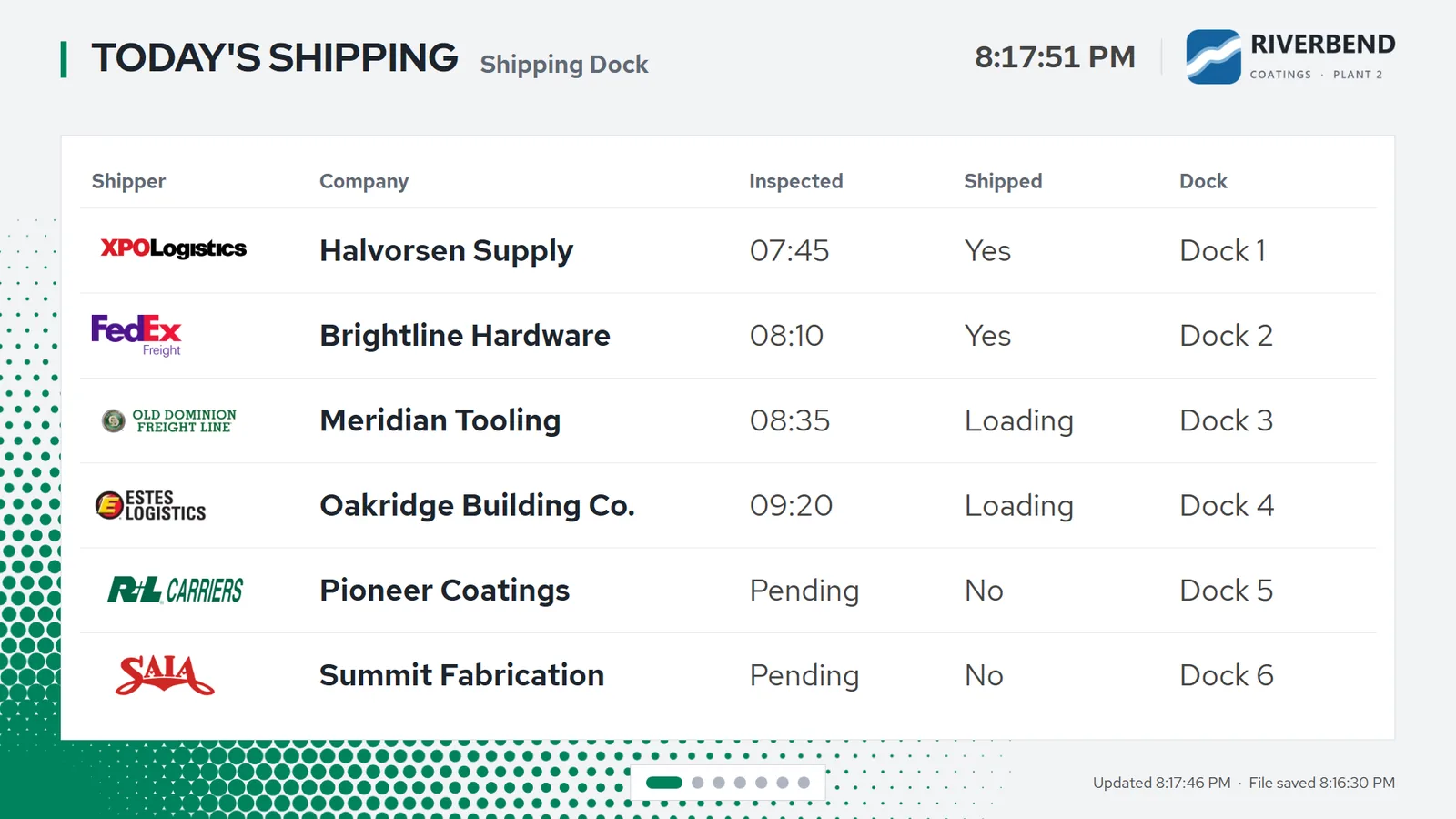
The shipping slide. Carrier logos are matched by name, and every value comes straight from the sheet, shown the way Excel formats it. Screenshots from the running app, with demo data for a made-up plant.
What’s on the board
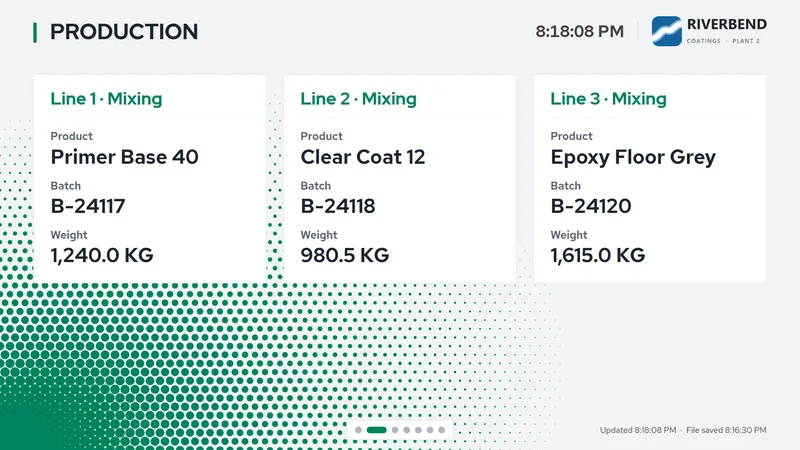
Production, lines 1 to 3
One card per line, with its product, batch and weight. Line names like “Line 1 · Mixing” come from the sheet.
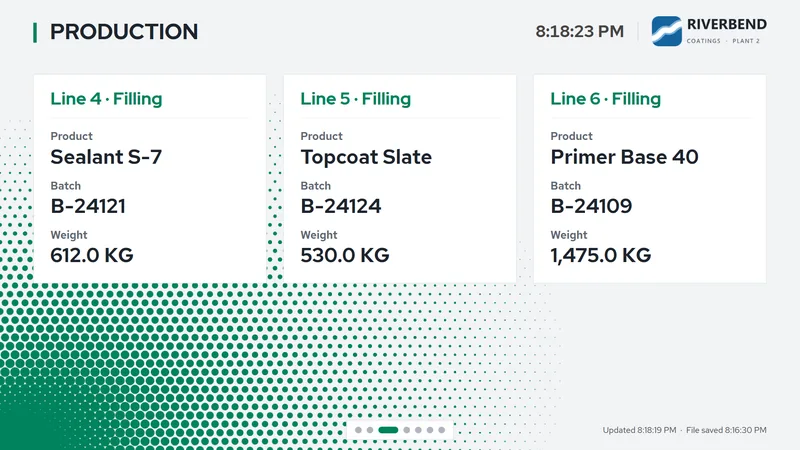
Production, lines 4 to 6
Six lines across two slides. Lines 2 to 6 can be switched off in the sheet, and their cards disappear.
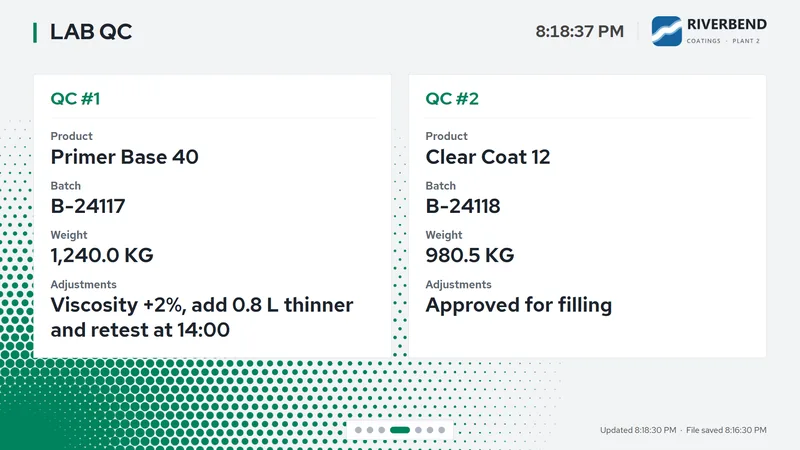
Lab QC
Two QC checks with their adjustment notes. Long notes wrap onto a second line; anything longer ends in an ellipsis.
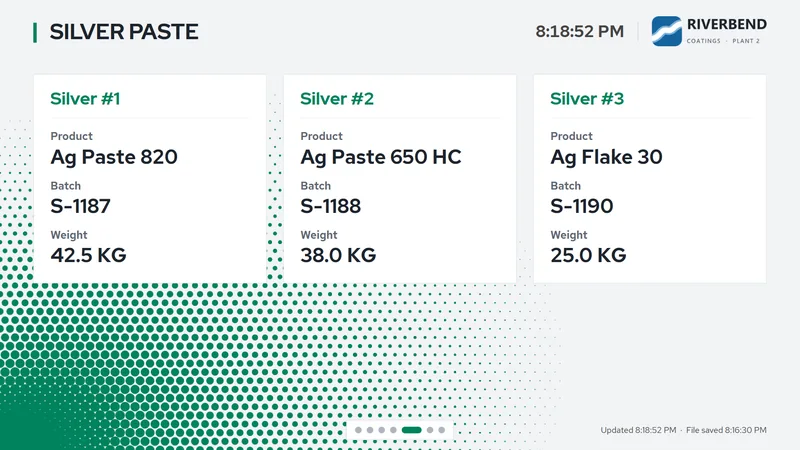
Materials
Up to three cards with product, batch and weight. The slide is titled Silver Paste until you rename it.
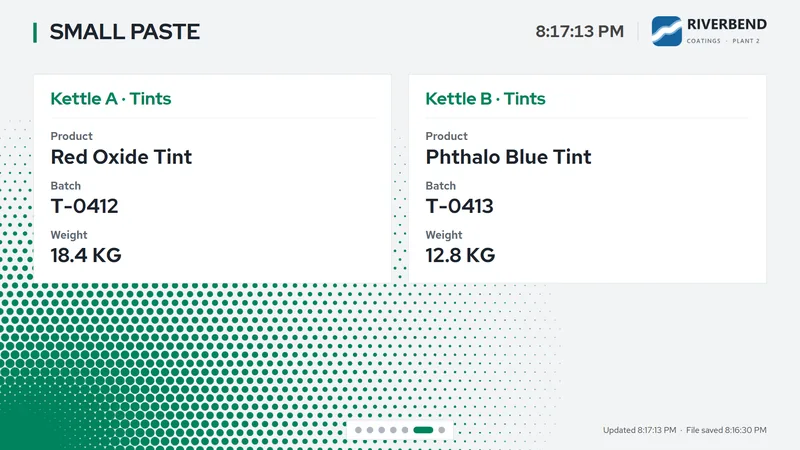
More materials
Two cards whose names come from the sheet, here two tint kettles. The slide is titled Small Paste until you rename it.
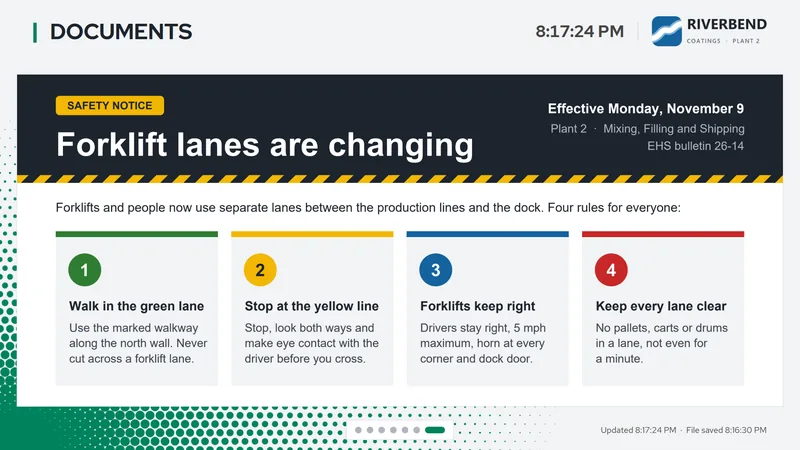
Documents
A PDF scrolls slowly from top to bottom, pauses, then the board moves on. Drop a new PDF on the window or point the workbook at one.
All seven slides, in the order the board shows them. Each TV shows only the slides you switch on for it, and slide titles, column headings and field labels can be renamed by double-clicking them on the TV.
How it works
-
Point it at your workbook
Choose the
.xlsxor.xlsmfile in Settings, or drag it onto the window. A synced OneDrive folder or a network share works too. People can keep editing the sheet in Excel while the board reads it. The board reads fixed cells on one tab; the spreadsheet layout lists them. -
Pick what each TV shows
One workbook holds five slide line-ups (columns I to M), and TVs that show the same slides can share one. Type
Activenext to the slides each line-up should show, then pick the line-up by name under Settings → Monitor on each TV. -
Leave it running
The board rereads the sheet every 11 seconds and keeps the screen awake. If someone is saving the file, it holds the last good data. If the file is missing for more than two minutes, the TV says so plainly instead of showing old numbers.
Customize it from the workbook
Add a tab named PM_Settings with a setting in column A and its value in column B. Anything you leave out keeps its default, and a mistyped setting is named on the board’s status line, so nobody has to guess what went wrong.
| Setting (column A) | Example value (column B) | What it does |
|---|---|---|
| Brand logo | plant_logo.png | Your logo in the top corner of every slide. |
| On words | Yes, X | Other words that switch a slide or card on, as well as Active. |
| Weight unit | lb | The unit after every weight. Leave it blank for none. |
| Clock format | h:mm AM/PM | How the clock reads. Leave it blank to hide the clock. |
| PDF file | safety_briefing.pdf | The PDF for the documents slide, reloaded whenever the file changes. |
| Logo folder | \\fileserver\logos | Your own carrier logos, used before the built-in ones. |
Built for the floor
-
Offline by design
No telemetry and no cloud account. Once it’s licensed it never connects to the internet or to any server of mine; the only network traffic is reading the workbook, logos or PDF from a share you point it at. It only ever reads the workbook, never writes to it.
-
Same picture on any screen
The board is laid out once and scaled to fit, so a 4K TV, a 1080p TV and a laptop all show the same layout in the same proportions, with type sized to read from across the room.
-
Made to run unattended
It remembers full screen across restarts, hides its buttons until someone moves the mouse, and keeps a local error log instead of crashing the board.
-
Your logos, your words
Carrier logos are matched by name, so ‘FedEx Express’ finds
FedEx_Express.png. Slide titles and labels can be renamed on the TV, and each PC remembers its own.
What you need
A Windows 10 or 11 PC with .NET Framework 4.8, connected to the TV. Microsoft Excel isn’t needed on it: the app reads the file itself.
Your workbook (
.xlsxor.xlsm) on that PC, in a synced OneDrive folder or on a network share.A license key: one line of text, sent by email when you choose a plan.
No internet connection once it’s licensed. The board runs fully offline.
Download Excel Monitor
One zip for Windows 10 and 11. Unzip it, run it, paste your key.
Download ExcelMonitor-3.1.0.zipLocked until you add a license key. Without one it opens on its license screen and does nothing else. See pricing.
- Version
- 3.1.0
- Size
- 16.4 MB (17,177,969 bytes)
- Requires
- .NET Framework 4.8 (built into Windows 10 version 1903 or later, and Windows 11). Excel isn’t needed.
- SHA-256
2978a7729df9382e18342905e3bca49d6aafdb3e5e284cbfde13db49b2e2ab1a
Install in four steps
- Unzip the folder anywhere on the PC that drives the TV.
- If Windows SmartScreen warns you, choose More info → Run anyway.
- Run
ExcelMonitor.exe. - Paste your license key and press Activate. The setup guide takes it from there.
Planning a rollout?
Email me what your sheet tracks, how many TVs you have, and which plan fits, and I’ll send your key.